12 HR Announcements That Work Better on a Smart Noticeboard
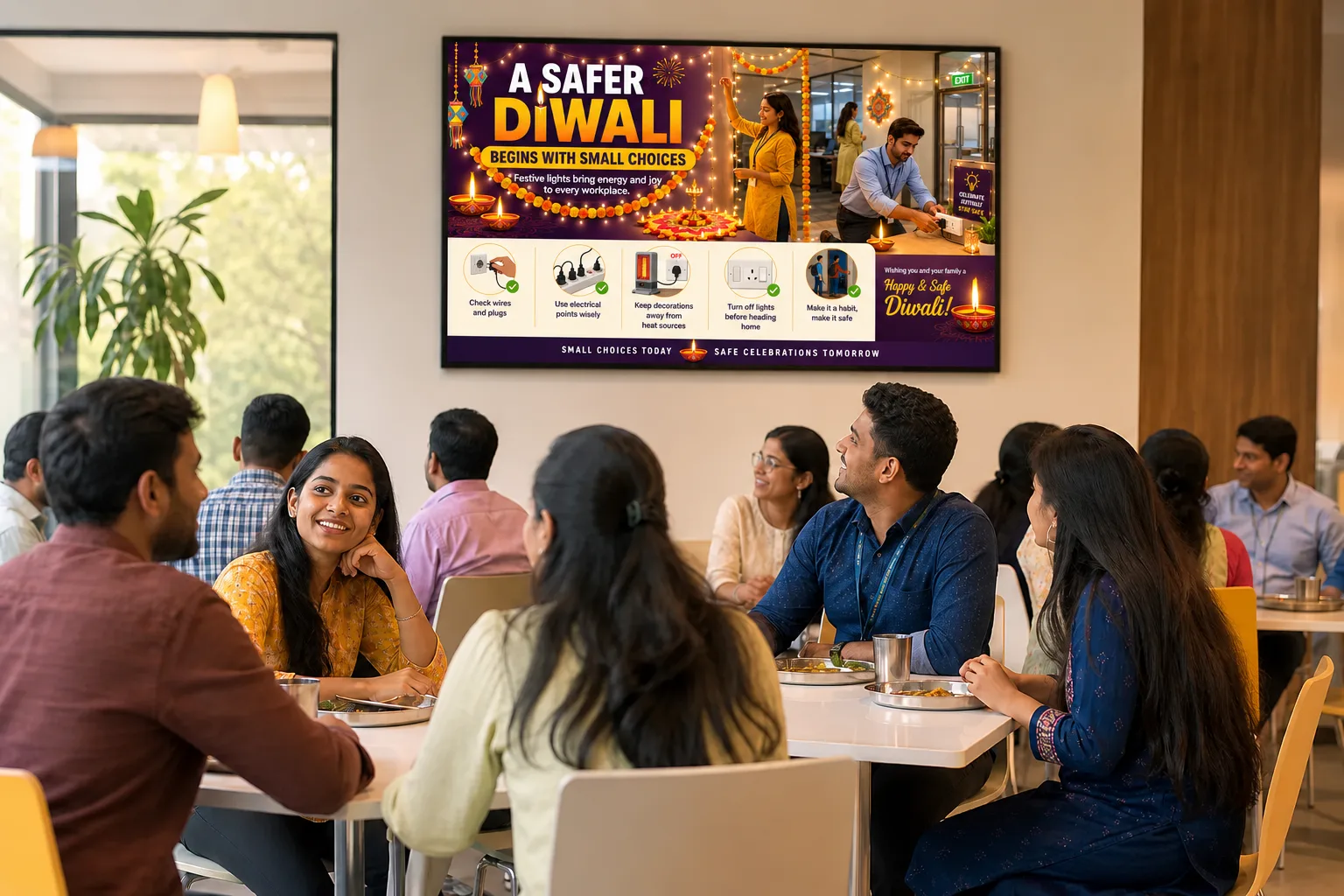
A smart noticeboard is only as good as what plays on it. These are the twelve kinds of announcement HR teams publish most — and a few practical rules for making each one actually get read by people walking past.
First, three rules for anything on a screen
- One message per notice. A screen is read in the few seconds it takes to walk past. Put one idea on it, not a circular.
- Big headline, short line underneath. Readable from across a canteen. Detail belongs in a follow-up document, not on the poster.
- Give it an end date. The fastest way to lose an audience is a notice about something that already happened.
Safety and compliance
1. Safety reminders
PPE, housekeeping, forklift zones, hand-washing. These are the notices that most need to be seen again and again — which is exactly what a rotating screen does well. Refresh the design every few weeks so the message does not become wallpaper.
2. Emergency and urgent alerts
Evacuation instructions, a weather warning, a gas leak, an unplanned shutdown. Use a flash notice that takes over every selected screen at once instead of waiting its turn in the rotation, then lets the normal programme resume.
3. Visitor and contractor instructions
A screen at reception or the security gate can tell every visitor where to go, what to wear and what not to photograph, before anyone has to explain it.
Operations and people
4. Shift changes and timings
Schedule the notice to appear on the screens at the affected site only, in the days before the change, and to disappear the day after it takes effect. Schedule it for the shift-change window itself so the people coming in are the people who see it.
5. Holiday lists and office closures
One of the most-asked questions in any HR inbox. Put the list up at the start of the month and again a few days before each holiday.
6. Policy updates
Leave policy, attendance rules, a new grievance process. Announce the change on the screen in plain language, say when it applies, and point people to where the full policy is kept. On a touch screen, the document itself can sit in a repository people can open there and then.
7. Training and upskilling
Upcoming sessions, certification deadlines, nominations. Schedule them to run in the week before the session, not the day of.
8. Hiring and internal job openings
Internal postings and referral drives reach far more people on the canteen screen than on an intranet page nobody opens.
Culture and engagement
9. Birthdays, work anniversaries and recognition
The notices people actually stop to look at. A short weekly recognition loop — employee of the month, safety champions, team milestones — gives the screen a reason to be watched, which helps every other notice on it get seen too.
10. Festivals and celebrations
Diwali, Holi, Navratri, Onam, Eid, Christmas, New Year. Pair the greeting with the practical information people need — timings, dress code, safe celebration reminders — so the festive notice is useful as well as friendly.
11. Wellness and benefits
Health camps, eye-strain breaks, posture tips, insurance enrolment windows. Short, regular and positive works better than one long poster.
12. CSR, events and leadership messages
Blood donation drives, sports days, town halls, a message from the plant head. These connect a single site to the wider company — especially at locations far from head office.
Not a designer? You do not need to be. In IRISBOARD, HR types a title and a few details and the notice is written and the poster designed automatically, in the company's brand colours — in English or regional languages such as Hindi, Marathi, Tamil or Gujarati. A library of ready-made posters also covers most of the recurring topics above.
Putting it together: a simple weekly rhythm
- Always on: two or three safety reminders, rotated monthly.
- This week: upcoming holidays, training, and any shift or policy changes.
- Every Monday: birthdays, anniversaries and recognition.
- When it happens: flash notices for anything urgent.
Group these into playlists and schedule them by site, day and time — a lunchtime loop in the canteen, a shift-change message on the shop floor — so each screen carries a mix that is always current and never repetitive.